
Camello for Shopify
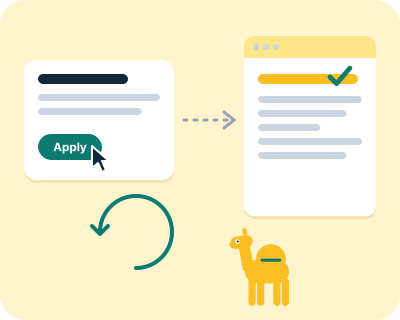
Camello checks where your store shows up on Google and in AI answers, then proposes a few clear changes each month. On Shopify, you click Apply and the Camello app writes the change into your store's own fields, reads it back to confirm it is live, and keeps the old value for Undo. This page says what it changes, how connecting and billing work, and what it never touches.
What does Camello change on a Shopify store?
Only the fields Shopify itself gives you for search, on products, collections, pages and blog posts. Each change is one field on one item, with the finding behind it and the exact new text.
- Search titles and descriptions. The search engine listing of a product, a collection, a page or a post: what Google shows as the title and the line under it.
- Image descriptions (alt text). For product photos, so search engines and screen readers know what is in the picture.
- Redirects. A permanent redirect from an old address to the new one, when a page or a product has moved.
- Blog drafts. On Starter and Pro, drafts in your voice arrive in Blog posts as hidden. Publishing one is your click in Shopify.
- What lives in your theme. Structured data, an llms.txt file and robots.txt lines live in your theme on Shopify, so for those Camello gives you the text to paste and a Done by hand button. It never edits theme code.
Every change is a card on the Changes page with the finding behind it: the search it is for, how your store shows up for it today, the exact new text, and when we will check it.
How do I connect my store?
Two ways. Both end with the same four permissions and the same one-click Apply.
- From Camello. Open your site, go to Connections and type your store's address on the Shopify store card. Shopify shows the permissions Camello asks for; press Install, and you are back on Connections with the store's name on the card.
- From the Shopify App Store. Once Camello is listed there, install it from the listing, sign in to Camello (or create your free account) and pick the site for your store. Nothing to type.
- The four permissions. Products and collections, pages and blog posts, URL redirects, and files (for image descriptions). Camello never asks for your customers, your orders or your theme.
- Search Console, read-only, optional. The same as on any site: connect it and your real clicks from Google appear beside the rankings.
What does it cost on Shopify?
The same as everywhere else: Free, then Starter at $24 a month or $240 a year, and Pro at $49 a month or $490 a year, per site. Free is not a trial.
A store that installs Camello from the Shopify App Store, once Camello is listed there, pays through Shopify: you choose and change the plan in your Shopify admin and it appears on your Shopify bill. A store connected from Camello pays through Stripe, like any other site. Nobody pays twice: a site already on a paid plan keeps it when a store is added to it.
What does Camello never touch on my store?
- Your customers and orders. Camello does not ask for them, so Shopify never gives it that access.
- Your theme code. No theme file is edited, and no script is added to your storefront.
- Your checkout, your prices and your inventory. Camello reads them for nothing and writes nothing there.
- Anything you did not click Apply on. A card waits until you do, and a dismissed card changes what is proposed next month.
Disconnecting, on the Connections page or by uninstalling in your Shopify admin, removes Camello's access at once. The store data Camello read through Shopify is deleted 48 hours after an uninstall.
Can I undo a change?
Yes, with one click. Every applied change keeps what the field held before. Undo reads the live value first: if it is still what Camello wrote, the old value goes back and is read again to confirm. If someone changed the field in Shopify in between, Undo stops and shows you all three values, so nothing is undone over a human edit.
After Apply, Camello reads your storefront page without running any scripts and looks for the change. When it is there, the change is verified live and its measurement window starts: 28 days for a title or a description. If it is not there after several tries, you get one email with the reason.
A website here, a store there
If your business has a WordPress or Wix site on example.com and a Shopify store on shop.example.com, that is one Camello site with two connections. Store changes go through the Shopify app; page changes go through the WordPress plugin or come as copy-paste steps. One plan covers both.
Questions about Camello on Shopify
Is it safe to let an app edit my Shopify store?
Only if every change is shown first, written into the store's own fields, and can be undone with one click. Camello does all three: nothing changes until you click Apply, the change goes into the field Shopify uses, it is read back to confirm, and Undo puts the old value back.
Does Camello change my theme?
No. It writes search titles, descriptions, image descriptions, redirects and hidden blog drafts through Shopify's own fields. Structured data, llms.txt and robots.txt live in the theme, so for those it gives you the text to paste.
Does Camello see my customers or orders?
No. It does not ask for that permission, so Shopify never grants it. It asks for products and collections, pages and blog posts, URL redirects and files.
Do I need the Shopify App Store to connect?
No. You can connect from Camello's Connections page today by typing your store's address. Once Camello is listed on the Shopify App Store, installing from there connects it with one click and bills through Shopify.
What does it cost on Shopify?
Free to start; Starter is $24 a month and Pro is $49, per site, the same on Shopify as anywhere else. A store installed from the Shopify App Store pays through Shopify; a store connected from Camello pays through Stripe.
Does the free check work on a Shopify store?
Yes. Type your store's address. The check reads your public pages, says what your store runs on, and shows three searches, three AI answers and three fixes with the exact wording.
Camello is automated software. Nothing in your store changes without your click, and every change has Undo.