Camello

For small businesses with a website or an online store

See where your business shows up on Google and in AI answers. Then fix it, one click at a time.

Camello checks where your business shows up on Google and in AI answers, then generates the fixes, website updates and fresh content you can apply with one click. The change is written into your site or your store. Undo any time.

Three Google searches, three questions to AI answer engines, three fixes with the exact wording. About a minute. We read your public pages only and change nothing.

See pricing

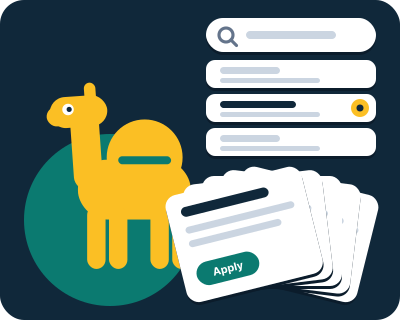
The yellow camel beside a column of search results where your row has just lit up, with the fix cards fanned under it.
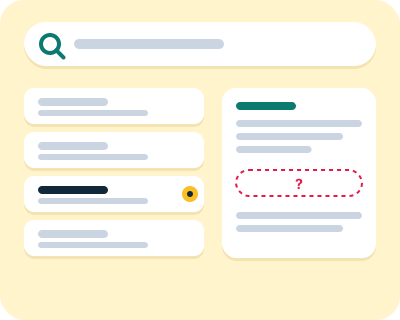
A magnifier over a column of search results, resting on your row, beside an AI answer card with an empty slot.

Is my website visible to AI?

Your customers ask Google who to call. More and more, they ask ChatGPT, Perplexity or Gemini the same question and get a sentence back instead of a list of links. You are either named in that sentence or you are not.

We look in the same three places, every month:

  • Google. Where your pages rank for the searches that matter to you.
  • Real clicks. How many people clicked through from Google, from your own Search Console.
  • AI answers. Whether the AI answer engines (ChatGPT, Perplexity, Gemini) name you or a competitor when someone asks for what you sell.

Most small businesses start at zero on the AI answers. That is normal, and it is the first number we show you.

What we read, and nothing else: your Search Console and Bing Webmaster Tools, Google and Bing results for your searches, what ChatGPT, Perplexity, Gemini and Google's AI Overview answer, how many people search each phrase, your own pages, your competitors' pages and who links to them, your business listings, your page speed, and your site's visitors through the plugin.

How we measure, and how often
How does Camello decide what to fix?

It starts with you. In a short interview you tell Camello what you do, where you work and who you sell to. From that and from your site it builds the list of searches and AI questions a customer like yours would ask, and works out which ones you can win: the ones where you already rank near the top, where no competitor has a clear answer, or where your site says nothing yet.

Then it proposes the changes and the content that get you there: a better title for the page that is close to page one, a new post for a question nobody near you answers, a line of structured data so the engines know where you are. Each proposal names the search or question it is for, so you can see why it is on the list. Retire a search with one click and next month's list changes with it.

The yellow camel in its thinking pose, head tilted up.

Is it safe to let a tool edit my site?

Only if three things are true. You see every change before it happens. The change is written into the site itself, not pasted on top with a script. And you can put it back with one click. Camello does all three.

Each month you get new cards. Each card says what we found, the exact new wording, which page, and when we will check it. Nothing happens until you click Apply. Then Camello writes the change into your site itself: through the Camello plugin on WordPress and WooCommerce, or through the Camello app on a Shopify store (products, collections, pages and posts). It reads the page back to confirm the change is live and keeps the old value for Undo. On Wix, Squarespace and the other builders, you get the exact text and the steps to paste it in yourself.

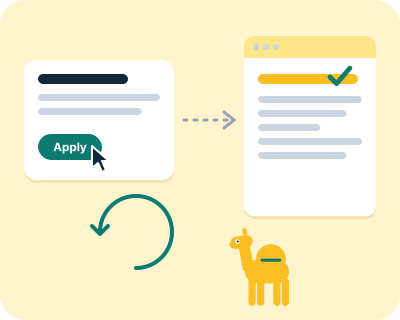
A cursor over an Apply button, a fix card sliding into a page whose title line rewrites, and an undo arrow beside it.

An example card

Your home page title is "Home | Acme Plumbing". Google shows it to people searching for a plumber in Franklin, and it doesn't say what you do or where. We'd change it to "Plumber in Franklin, TN | Acme Plumbing". It's a title change, so we check it after 28 days. Undo any time.

An example for a made-up plumber, not a measurement. Your cards are built from your site.

How do I know if it worked?

The same way the engines themselves say to: take a reading first, change one thing, then take the same reading again later. We check a title change after 28 days, a page structure change after 42 and structured data after 60, because that is how long each takes to show.

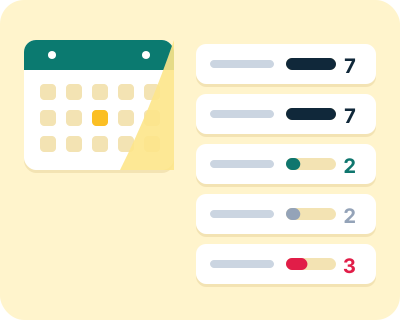
Every applied change ends with one of three words: it worked, no effect we could see, or too early to say. We never round "too early" up to "worked". Your dashboard always shows all five counts: applied, verified live, worked, no effect, too early.

A calendar page turning, with five counters beside it filling one at a time.
  • Applied
  • Verified live
  • Worked
  • No effect
  • Too early

What else is in the box?

On Starter and Pro, the same searches and questions behind your fixes become two blog drafts a month, written in your voice from the interview, and a month of social posts in your own colours and logo. The drafts answer the questions we picked for you, so the content and the fixes pull the same way. We also suggest what to film and what to say on camera. You read, you edit, you publish. We never post for you.

A phone with a social post sliding into place beside two draft pages whose lines fill in.

What does it cost?

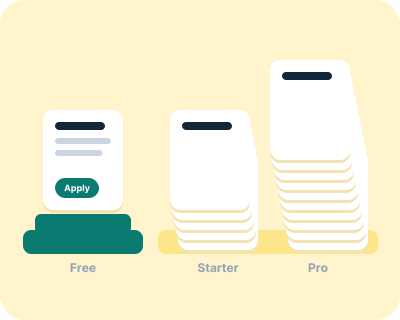
Every account starts on Free, and Free is not a trial. Prices are per site. A business's website and its store at another address are one site with two connections; a second business is another site.

  • Free

    $0

    What runs every month

    One fix with Apply and Undo. Google rankings for up to 5 searches and up to 3 questions to three AI answer engines, checked once a month. The five counts and the monthly summary email.

  • Starter

    $24 a month, or $240 a year

    What runs every month

    Up to five fixes a month. 40 searches. Two blog drafts and eight social posts in your voice.

  • Pro

    $49 a month, or $490 a year

    What runs every month

    Up to ten fixes a month. 80 searches. Four blog drafts and sixteen social posts. Deeper AI answer checks.

You upgrade from your plan page, and that is the only time a card is asked for.

Every question about pricing, answered

What Camello never does

  • It never changes your site, publishes a post or sends anything until you click.
  • It never invents a result. Every number names its source, its window and its date.
  • It never sends emails or messages to your customers or anyone else on your behalf.
  • It never guarantees a ranking, a mention or more customers. It measures and tells you what it saw.
  • It never pretends to be a person. Camello is automated software, and it says so.
A cursor waiting over a Publish button that it never clicks.

Questions people ask before they try it

What is Camello?

Camello is automated software that checks where your business shows up on Google and in AI answers, then generates the fixes, website updates and fresh content you can apply with one click. The change is written into your site or your store, with undo. It is made for US small businesses with one to ten people and no marketing staff. Free to start; Starter is $24 a month and Pro is $49.

Is my website visible to AI?

You can find out in about a minute. The free check asks three AI answer engines (ChatGPT, Perplexity, Gemini) the kind of question your customers ask and shows whether each one named you, with the date. Each question is asked once, and AI answers change from one asking to the next, so treat the result as one reading. Most small businesses start at zero. That is the point of measuring.

Is it safe to let a tool edit my site?

Only if every change is shown to you first, written into the site itself, and can be undone with one click. Camello never changes anything until you click Apply. Every change keeps the old value, and Undo writes it back exactly. If another plugin or a page cache hides the change, we tell you which, and nothing else on your site is touched.

Which website builders does Camello work with?

WordPress and WooCommerce through the Camello plugin, and Shopify through the Camello app: one click to apply, one click to undo. On Wix, Squarespace, Webflow, GoDaddy, Duda, Square Online, Toast, Framer and BigCommerce, Camello gives you the exact text and the steps for your builder, and you paste it in. If a developer built your site, you send them the values. The free check works on any site.