Check where your business shows up on Google and in AI answers
Three Google searches, the same three questions to three AI answer engines, and up to three changes with the exact wording. About a minute. We read your public pages and change nothing.
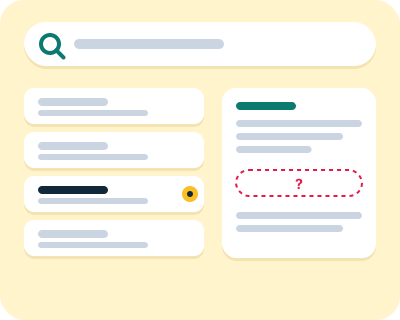
We look where your customers look: Google results and AI answers.
How do I check whether my business shows up?
Type your website address and press Run the check. We read your home page and show you the three searches and three questions we picked; change any that are not how your customers would ask, and press Run the check again. Nothing is searched or asked before that. About a minute later you get one page with three parts: where your site ranks on Google for three searches, whether three AI answer engines named you in their nine answers, and up to three changes we would make to your site, with the current wording and the new wording side by side (for a page you do not have yet: its title, main heading and outline).
Read the dates. Every number on the result page says when it was measured and where it came from, because a ranking from last month is not a ranking. If a number looks wrong to you, there is a link under the result to tell us; that is how we find mistakes in the check.
You do not need an account to see the result. If you want Camello to prepare the changes and check them again next month, you create a free account from the result page; no card is asked for. On WordPress, the Camello plugin makes each change with one click once it is published; on any other site you paste the change in and press Done by hand.
What does the check read, and does it change anything?
It reads your public home page the way a visitor's browser would, without logging in. It changes nothing.
From your page's title and text it picks three searches a customer might type, and looks each one up on Google the way a person in the United States would. You see the position of your site, or "Not in the top 10", and the page that ranked. "Not in the top 10" is a result, not an error. It is the usual starting point for a small site on a search it has never written for.
Then it asks three AI answer engines (ChatGPT, Perplexity, Gemini) the same three questions, in the words a customer would use, such as "Who is a good plumber in Franklin, TN?": nine answers. You see whether each engine named you in each answer, and the page it cited if it cited one. Each question is asked once. AI answers change from one asking to the next, so this is one reading, not a rule. We use the engines' official interfaces, which is why we say "AI answer engines" rather than "what ChatGPT shows you": the chat window you use may answer differently from the same engine's official interface.
Last, it writes up to three changes, never more than the results call for. Each one names the page, shows the current text and the text we would put in its place, and says when Camello would check it: 28 days for a title or description, 42 for a heading or structure change, 60 for structured data. When your pages need no change, the changes are new pages for the searches and questions where you did not show up and no page of yours answers: a title, a main heading and the outline's headings, as a draft you publish. These are the same cards a Camello account gets every month, so the check is the product on one page, not a sample of it.
What it does not do. It does not read pages behind a login, it does not run scripts, it does not give a score or a grade, and it does not compare you with sites it did not measure.
What a Camello account reads every month
The free check reads your public home page, Google and three AI answers once. An account reads these, and nothing else, on its own schedule:
- Your Google Search Console. Clicks, impressions and which of your pages Google has indexed, read-only, if you connect it. Read every day.
- Your Bing Webmaster Tools. The searches that found you on Bing, crawl problems and the sites that link to you, read-only, if you connect it. Read every week.
- Google results for your searches. Where your pages rank in Google's top 10 for each tracked search, looked up as a customer in your area would. Read every week (once a month on Free).
- Bing results for your searches. Where your pages rank in Bing's top 50 for the same searches. Read every week (once a month on Free).
- What ChatGPT, Perplexity, Gemini and Google's AI Overview answer. ChatGPT, Perplexity and Gemini through their official interfaces, the AI Overview as Google shows it: whether the answer names you, a competitor or neither, and the page it cites. Read every month; Gemini and the AI Overview also every week (once a month on Free).
- How many people search each one. Searches a month in your country for each phrase, from Google's Keyword Planner, or from DataForSEO when Google gives only a range. Read when you set up your account, and again on a re-run or when you first connect Search Console.
- Your site's own pages. Titles, descriptions, headings, text, structured data, robots.txt and llms.txt, read the way a visitor's browser would. Read at sign-up and before each month's proposals.
- Your competitors' pages. The sites Google and the AI engines show instead of you, compared every week (every month on Free). On Starter and Pro, what the top pages for your searches and questions say, read once a month.
- Your business listings. Whether Bing Places, Yelp, Facebook, the BBB and the directories for your trade list your business, with the right name, address and phone. Read every month.
- Who links to your competitors. The sites that link to your competitors but not to you, from DataForSEO's index of links. Read every month on Starter and Pro.
- Page speed. Google's PageSpeed reading of your home page and up to three more pages, on phone and desktop, and whether Google's Knowledge Graph knows your business. Read every week.
- Your site's visitors, through the plugin. Page views and clicks on your own site, in the consent mode you chose, with no vendor pixel. Read as they happen.
Nothing aspirational is on that list; it is what the engine reads today. Full detail in the help article "How we measure".
Who is the check for?
For the owner of a small business who has heard "you need to show up in ChatGPT now" and wants to know what that means for their own site, in plain words, before spending anything. One to ten people, no marketing staff, a website or an online store they or a freelancer built.
If your site is not on WordPress or Shopify, the check still works and the changes are still yours to make by hand, with the steps for your builder. Camello's one-click changes work through the WordPress plugin and the Shopify app. The result page says which it found.
It is not for agencies, SEO professionals or anyone who wants to run the measurement by hand with their own settings. There is one check, with the same three searches and three questions for everyone.
Questions about the check
Is my website visible to AI?
Run the check and you will know in about a minute, for three questions and three engines, with the date. Most small businesses start at zero, which is why the first reading matters more than a guess. Being named in an AI answer depends mostly on what your own site says plainly and what independent places such as your Google Business Profile say about you, so the changes point there first.
How do I check whether ChatGPT mentions my business?
Ask it the questions your customers ask, in a fresh chat, several times, and write down who it names. That is the honest manual method, and the engines themselves describe it that way. The free check does the same across three engines and shows the result with its date, so you do not have to keep a notebook.
How do I check my AI visibility?
The same way: ask the engines your customers' questions and count how often you are named. Camello's check does it once; a Camello account does it every month with the same questions, so you can see change over time instead of one reading.
How is AI visibility calculated?
We do not calculate it. We count it: for each question, each engine either named you or did not, and we show the count out of three. A 0 to 100 "visibility score" is a made-up composite that hides what was measured, so we do not give one.
Is there a free tool that can check my website's ranking?
Yes, this one, for three searches picked from your own page. Other free checkers exist, including ones from the large SEO tools, and some of them now check AI answers too. Ours is different in one way: it shows the exact change we would make, with the current and the new wording, and the date of every number.
Is an SEO score of 92 good?
A score is only as good as the formula behind it, and each tool uses its own, so 92 in one tool is not 92 in another. The check gives you no score. It gives you a position on Google for each search, a yes or no from each AI engine, and up to three changes. Those you can act on and measure again.
What does the check read, and does it change anything?
It reads your public home page as a visitor would, searches Google three times and asks three AI engines three questions. It does not log in, does not run anything on your site and changes nothing. If you later create an account and click Apply on a change, that is the first time anything on your site is written, and it comes with Undo.
What happens after the check?
Nothing, unless you decide. The result page stays for seven days at its link. If you want the changes applied and checked again next month, you create a free account from the result page. Free runs every month: one change with undo, up to five tracked searches, up to three AI questions and a summary email.
Read more
- How do I get my business to show up on ChatGPT?
- What is AI visibility, for a small business?
- Is SEO dead now that there is AI?
- Pricing
Camello is automated software. Nothing on your site changes without your click. Every number on the result has its date and its source.