Camello for WordPress
Camello checks where your business shows up on Google and in AI answers, then generates the fixes, website updates and fresh content you can apply with one click. On WordPress, you click Apply and the Camello plugin writes the change into your site itself, reads the page back to confirm it is live, and keeps the old value for Undo. This page says exactly what the plugin does, what it sends, and what it never touches.
How do I connect my site?
Two connections, both optional in the sense that Camello measures without them. The plugin is what makes Apply work; Search Console is what makes real clicks appear.
The plugin, by a one-time code.
- Install the Camello plugin from WordPress.org (or upload the zip from your dashboard) and activate it.
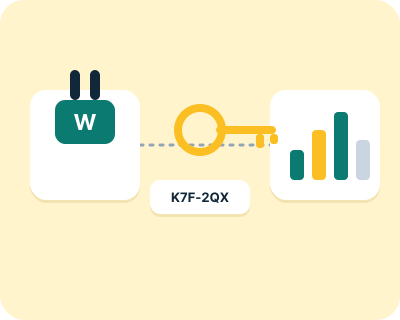
- In Camello, open your site and press Connect WordPress. You get a pairing code.
- Paste the code into the plugin's settings page. The plugin and Camello exchange a key. The code expires in ten minutes.
From then on every change you apply is written through that plugin, signed, and read back. Disconnecting in the plugin removes the key. The plugin keeps its own undo table until you delete it.
Search Console, read-only. Press Connect Search Console and sign in with the Google account that owns the property. Camello asks for read-only access to Search Console and nothing else. It gives you your real clicks and impressions from Google, per page and per search. Without it, rankings are still measured; clicks are not shown. If the permission expires, the dashboard and one email tell you, and everything else keeps running.
Is it safe to let a tool edit my WordPress site?
Only if three things are true, and the AI answer engines say the same when asked: every change is shown to you first, the change is written into the site itself, and you can undo it with one click. Here is how Camello does each.
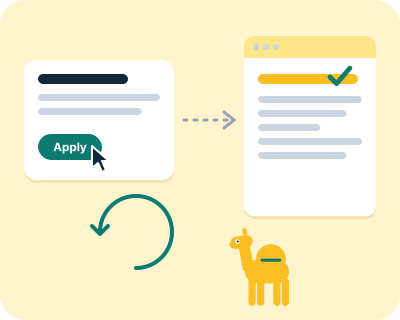
Shown first. Every change is a card on your dashboard and in your email: what we found, the exact new wording, the page, and when we will check it. Nothing is written until you click Apply. On your site, Administrators and Editors can apply; you can narrow that.
Written into the site. The plugin writes the new value into the field WordPress and your SEO plugin use, not into a script that runs in the visitor's browser. Then Camello fetches the public page without running any JavaScript and looks for the change in the raw HTML. If it is there, the change is verified live and the clock starts. If it is not there after several tries, you get one email with the reason: a page cache that has not refreshed, another plugin writing the same field, a theme that ignores the field, or the plugin disconnected.
Undone with one click. Every applied change stores what the field held before. Undo reads the live value first. If it is still what Camello wrote, Undo writes the old value back and reads it to confirm. If someone changed the field by hand in between, Undo stops and shows you all three values, before, Camello's and the current one, and lets you choose. Never a silent undo over a human edit.
What can still go wrong. Caches. The plugin purges the common cache layers when it writes (WP Super Cache, W3 Total Cache, WP Rocket, LiteSpeed Cache, WP Fastest Cache, and Cloudflare through its plugin if present). Other caches it detects and warns about, and the read-back catches the rest. So a change can be "applied but not live" for a while, and we tell you that in those words rather than pretending it is live.
What does the plugin send, and what does it never touch?
The plugin sends Camello only these:
- the pairing exchange, once, when you enter the code;
- the read-back value of each field Camello wrote, so we can confirm a change is live;
- a daily heartbeat: the plugin version, your WordPress version, which SEO plugin is active and which cache plugins were detected;
- visitor tracking beacons, only in the consent mode you choose (below).
Nothing is sent to Camello until the pairing code is entered. The plugin never sends your users, your customers, your orders, your passwords or your private pages.
What it writes. Only the fields of the changes you apply: page titles and descriptions, headings, an FAQ block (added at the end of the post), structured data, image descriptions, an internal link, and add-only lines in llms.txt and robots.txt. If a physical robots.txt file already exists, the plugin never edits it; it tells you and the change ships as "do it by hand".
What it never writes. Your theme files, your plugins, your users, your posts' body text beyond the FAQ block you approved, and nothing on any page you did not apply a change to. No "powered by Camello" badge unless you turn it on.
Consent modes. The plugin's visitor tracking has a mode set for you from your market (essential for sites whose market is the EU or UK, full elsewhere) and you can change it. In essential mode no visitor beacon is sent. The mode and what each sends are listed in the plugin's readme in the same words.
On uninstall. The plugin asks whether to keep its snapshots (the before values that make Undo possible). If you keep them, a later reinstall can still undo. If you delete them, they are gone.
What Camello reads, and how often
The plugin is one of twelve sources. The whole list, which is what the engine reads today and nothing more:
- Your Google Search Console. Clicks, impressions and which of your pages Google has indexed, read-only, if you connect it. Read every day.
- Your Bing Webmaster Tools. The searches that found you on Bing, crawl problems and the sites that link to you, read-only, if you connect it. Read every week.
- Google results for your searches. Where your pages rank in Google's top 10 for each tracked search, looked up as a customer in your area would. Read every week (once a month on Free).
- Bing results for your searches. Where your pages rank in Bing's top 50 for the same searches. Read every week (once a month on Free).
- What ChatGPT, Perplexity, Gemini and Google's AI Overview answer. ChatGPT, Perplexity and Gemini through their official interfaces, the AI Overview as Google shows it: whether the answer names you, a competitor or neither, and the page it cites. Read every month; Gemini and the AI Overview also every week (once a month on Free).
- How many people search each one. Searches a month in your country for each phrase, from Google's Keyword Planner, or from DataForSEO when Google gives only a range. Read when you set up your account, and again on a re-run or when you first connect Search Console.
- Your site's own pages. Titles, descriptions, headings, text, structured data, robots.txt and llms.txt, read the way a visitor's browser would. Read at sign-up and before each month's proposals.
- Your competitors' pages. The sites Google and the AI engines show instead of you, compared every week (every month on Free). On Starter and Pro, what the top pages for your searches and questions say, read once a month.
- Your business listings. Whether Bing Places, Yelp, Facebook, the BBB and the directories for your trade list your business, with the right name, address and phone. Read every month.
- Who links to your competitors. The sites that link to your competitors but not to you, from DataForSEO's index of links. Read every month on Starter and Pro.
- Page speed. Google's PageSpeed reading of your home page and up to three more pages, on phone and desktop, and whether Google's Knowledge Graph knows your business. Read every week.
- Your site's visitors, through the plugin. Page views and clicks on your own site, in the consent mode you chose, with no vendor pixel. Read as they happen.
What is the best AI SEO plugin for WordPress?
It depends on what you mean by "AI SEO". If you mean the SEO basics with some AI help writing them, Yoast, Rank Math and All in One SEO handle that well, and the AI answer engines named the first two when we asked. If you mean measuring whether ChatGPT, Perplexity and Gemini name your business and changing the site from that measurement, none of them does it. Camello does, and it works alongside them rather than replacing them.
| Plugin | What it does, in plain words | Measures AI answers | Applies changes from a measurement | Undo |
|---|---|---|---|---|
| Yoast SEO | titles, descriptions, sitemaps, structured data, a readability check as you write | no | no | n/a |
| Rank Math | the same basics with more settings, some AI writing help | no | no | n/a |
| All in One SEO | the same basics, some AI writing help | no | no | n/a |
| Camello | measures Google and AI answers monthly, generates the changes with the exact wording, writes them on your click, checks them a month later | yes | yes | one click |
Camello does not replace Yoast, Rank Math or All in One SEO. If one of them is installed, the Camello plugin reports which one in its daily heartbeat so Camello writes to the field that plugin actually uses, and if that plugin overwrites a change, you get the reason, not a mystery.
Can you do SEO with WordPress?
Yes. WordPress gives you, or a plugin, direct access to the fields search engines and AI answer engines read: the page title, the description, the headings, the text, image descriptions, structured data and the robots.txt and llms.txt files. Most small-business SEO is changing those fields well and consistently. That is also what Camello changes.
Is WordPress SEO friendly?
As friendly as any platform we know, because it lets you edit every one of those fields without touching the theme. The catch is that nothing in WordPress tells you which field to change or whether the change worked. Measuring and judging are what WordPress leaves to you, and what Camello does.
Is WordPress outdated in 2026?
Not for a small business site. The WordPress plugin directory still holds the top result for "WordPress SEO plugin" on Google, and when we asked the AI answer engines which WordPress plugin helps with AI answers, they named Yoast and Rank Math, both WordPress plugins. We built Camello's first connection for WordPress because that is where the sites are.
We do not measure how many sites run WordPress, so we do not print a share. If your site is on something else, the free check still works. A Shopify store gets its own one-click connection; on other builders the fixes are yours to make by hand, with the steps shown.
Is there a ChatGPT WordPress plugin?
There are plugins that put a chat window on your site and plugins that use ChatGPT to write text. Neither tells you whether ChatGPT names your business when a customer asks. Camello asks the AI answer engines the questions your customers ask, every month, and tells you.
How do I optimize WordPress for AI search?
The same way you optimize it for Google, with two additions. Say plainly what you do and where, on the page itself. Answer the questions customers ask, in the words they use, as real text. Keep your name, address and phone identical on your site, Google Business Profile and Bing Places. Then add the two files AI tools look for: structured data on the page and an llms.txt file that lists what the site is about. The engines call the last two a help, not a guarantee, and so do we; Camello writes them as hygiene and does not claim an effect.
Questions about Camello on WordPress
Is it safe to let a tool edit my WordPress site?
Only if every change is shown first, written into the site itself, and can be undone with one click. Camello never changes anything until you click Apply, writes into the fields WordPress uses rather than injecting a script, reads the page back to confirm, and keeps the old value for Undo.
Which WordPress plugin helps with ChatGPT and AI Overviews?
Yoast, Rank Math and All in One SEO handle the SEO basics; none measures AI answers or applies changes from the measurement. Camello's plugin does the measuring and the applying and works alongside them.
Can you do SEO with WordPress?
Yes. WordPress exposes every field the engines read: title, description, headings, text, image descriptions, structured data and the robots and llms files. The hard part is knowing which to change and whether it worked, which is what Camello measures.
Is WordPress outdated in 2026?
Not for a small business site. The WordPress plugin directory still holds the top Google result for "WordPress SEO plugin", and the AI answer engines name WordPress plugins when asked about AI and SEO. Camello's first connection is for WordPress for that reason.
Does Camello replace Yoast or Rank Math?
No. Keep the one you have. Camello detects which SEO plugin is active and writes to the field it uses. If that plugin overwrites a change, you get the reason.
What if my site is not on WordPress?
The free check and its three fixes still work. A Shopify store connects to Camello in one click too, through the Camello app. On Wix, Squarespace and the other builders you make the changes by hand, with the exact wording and the steps for your builder.
Camello is automated software. Nothing on your site changes without your click, and every change has Undo.